
Mac and Windows.
Mac versions run in compatible AU/VST3 hosts. Windows versions are being prepared for launch; system requirements and supported formats will be confirmed before release.
Decision Audio / CORE 03
Shape what matters.
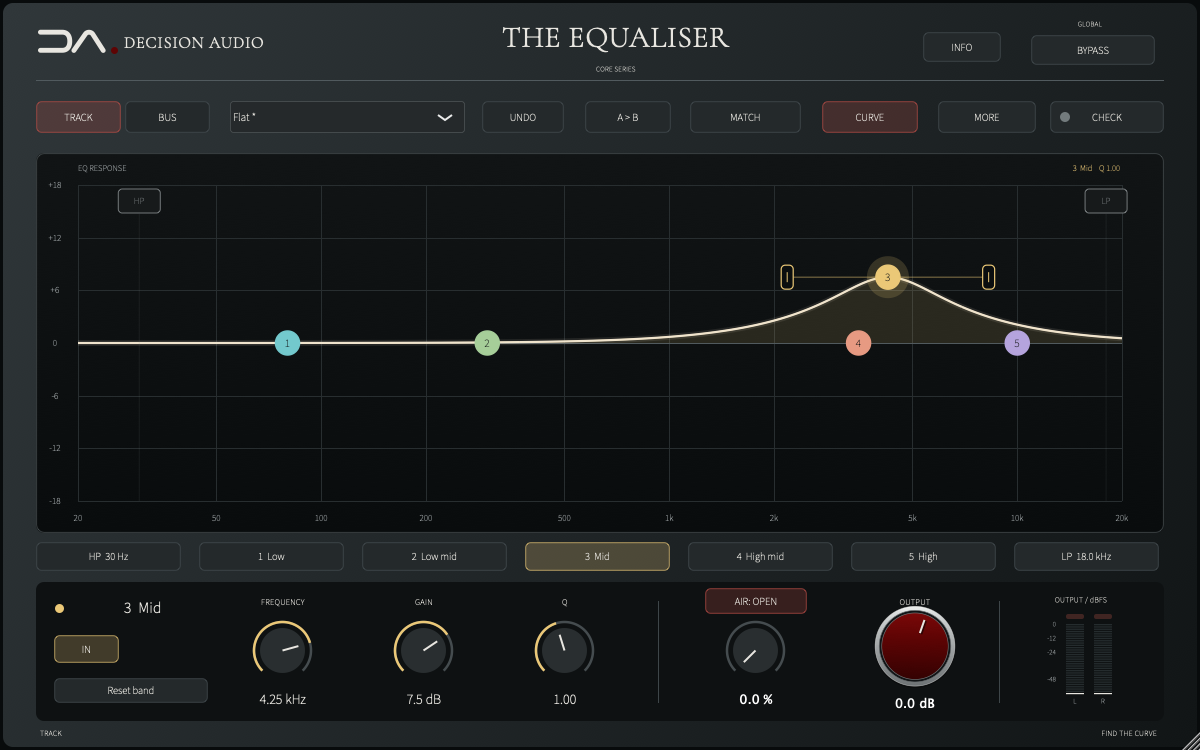
Five bands, independent roll-offs and two tonal voicings around a directly editable curve. Choose the broader shoulders of TRACK or the more direct parametric response of BUS, then bring in AIR for the finishing lift. Every move remains yours to make.
Sales, trials and public downloads are not open yet.
Inside the current build
Drag a numbered point to set frequency and gain, then adjust its width or shelf slope. The outer bands switch between shelves and bells. Select a band to bring its controls into focus, with individual and combined curves visible together.
Separate high- and low-pass filters provide 12 dB/octave roll-offs, controlled from their own graph handles or precise frequency entries. The five tone bands remain available independently for shaping the body and balance.
Start with Studio Smile, Console Smile, Warm & Open or Presence, or make a targeted vocal or piano move on the selected band. Each setting remains editable; the display remembers the chosen starting point and marks subsequent tone changes.
OPEN adds signal-dependent harmonic presence, with an assertive upper range. CLASSIC provides the earlier broad high shelf. The amount and Air Tone controls let you choose how much lift to bring into the part.
Use A/B and captured level matching for listening comparisons. CHECK measures five seconds of audible output for sample overload, broad tonal concerns and large EQ boosts. It reports its findings for you to review. Live left/right peak meters keep levels visible.
Compatibility & support
Mac versions run in compatible AU/VST3 hosts. Windows versions are being prepared for launch; system requirements and supported formats will be confirmed before release.
A perpetual licence lets you activate up to two computers. Connect to the internet to sign in and activate; your saved licence then works offline.
Account, activation and quick-start guidance in English, Spanish, French, Portuguese, Japanese, Simplified Chinese, Korean, Hebrew and Arabic.
Already own a product? Open My products for your installers, English manuals, nine-language quick starts and customer support.
No new purchase or public trial is available while we prepare for release.
Independent product installers include the Decision Audio activation app. You do not need to reinstall your whole collection to add another product.
Install your product and open Decision Audio. Select the product, choose Activate and sign in with the account that owns it. Returning from the email link completes activation automatically. Reopen your audio app and start making music.
The planned 14-day trial supports two computers sharing the same expiry. Reinstalling or adding the second computer does not restart it.